

When ChatGPT, Perplexity, or Google’s AI Overviews decide who to recommend, they read a narrow slice of your website and skip the rest. Here is what they pull, what they ignore, and how to put your best answers where AI can actually use them.
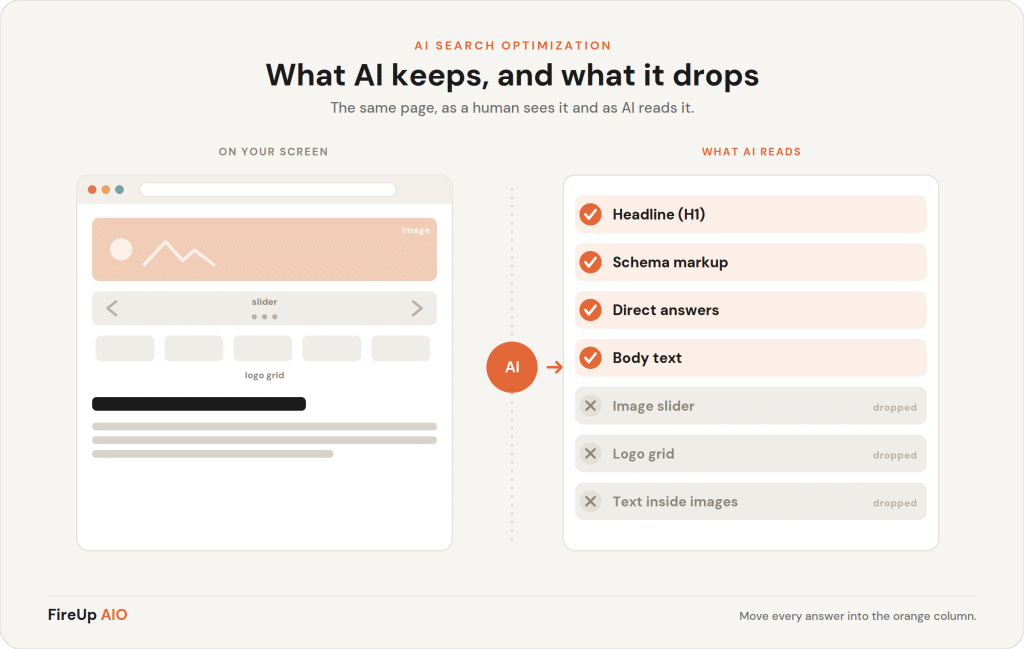
What does AI actually read on your website?
AI reads the machine-readable parts of your page: your visible body text, your headings, your structured data (schema), the specific entities you name, and the links between pages. It builds an answer from clean text it can extract with confidence, then checks whether the rest of the web backs that text up.
That is a much smaller surface than most business owners assume. A language model does not experience your site the way a visitor does. It does not see your brand colors, your hero animation, or the careful spacing your designer agonized over. It sees text, structure, and the relationships between things, and it decides in seconds whether your page contains a clean answer to the question someone asked.
This is the core shift behind being cited by AI instead of just ranking in Google. Ranking rewards pages that are optimized to be clicked. Citation rewards pages that are easy to read, easy to trust, and easy to quote, before anyone clicks anything.
AI reads text, headings, schema, and named entities, then verifies them against the wider web. If your most important answer only lives inside a graphic, a slider, or a PDF, AI treats it as if it does not exist.
Why does AI ignore so much of a normal website?
AI ignores anything it cannot reliably turn into text. That includes images without alt text, words baked into graphics, content loaded by scripts that do not render cleanly, navigation-only menus, and design elements that carry meaning for humans but nothing for a parser. If a value is trapped inside a picture, it is invisible.
Here is the uncomfortable part. The elements businesses spend the most on are often the ones AI skips. A beautifully designed infographic with your three differentiators? If it is a flat image, that is three differentiators AI will never read. A homepage slider that rotates through your key claims? Each claim is usually buried in markup AI struggles to extract. A capabilities PDF that took weeks to produce? Often unreadable, especially if it is scanned.
The pattern: human-important is not the same as machine-readable
A visitor and a model weight your page differently. A human scans visually, lingers on imagery, and forgives messy structure. A model does the opposite: it rewards clean structure and ignores visual polish entirely. The goal is not to choose one over the other. It is to make sure every claim that matters exists in real text, so it serves both at once.
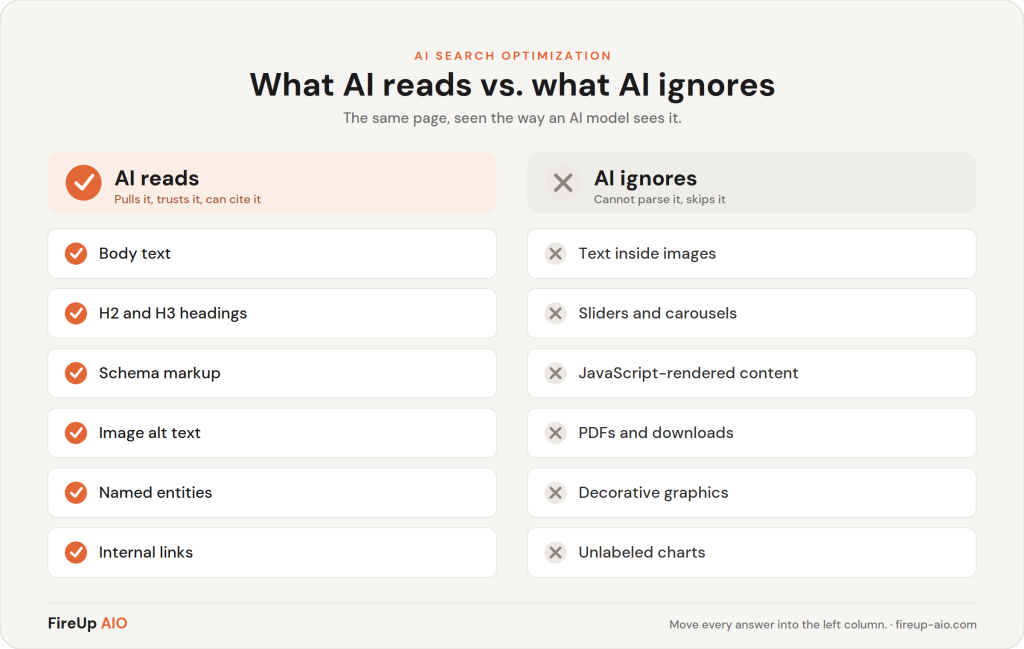
Which signals make AI confident enough to recommend you?
AI recommends sources it can read clearly and verify independently. The strongest signals are a direct answer placed right under a question-style heading, specific named entities (real companies, tools, places, numbers), consistent identity across the web, valid schema, a visible author and date, and corroboration from other credible sites. Confidence comes from clarity plus agreement.
Think of it as two tests your page has to pass. First, can the model extract a clean answer from this page without guessing? Second, does the rest of the web agree that you are a credible source for that answer? A page can pass the first and fail the second, which is why being readable is necessary but not sufficient. The full picture of how AI weighs these signals is what the FIREUP Framework maps, and the longer walkthrough lives in the AIO Playbook.
| What AI reads and trusts | What AI skips or discounts |
|---|---|
| Direct answers under question headings | Answers buried mid-paragraph after a long warm-up |
| Real HTML text and lists | Text rendered inside an image or graphic |
| Valid schema (Article, FAQ, Organization) | Visual layout with no underlying structure |
| Named entities and specific numbers | Vague phrasing like "leading provider" with no specifics |
| Descriptive alt text on images | Images with empty or missing alt text |
| Visible author and updated date | Anonymous, undated pages |
Freshness is a signal, not a vanity metric
Nearly 90% of the pages AI crawlers pull from were published within the last three years, according to Seer Interactive. A visible, recent date is part of how AI decides your answer is still worth quoting.
Source: Seer Interactive (2025)
What's actually invisible to AI on most sites?
Across the audits we run, the same gaps repeat: the best answer on the page is locked in an image, the homepage names no specific entities, and there is no structured data telling AI who the business is. These are not exotic technical problems. They are ordinary pages that look finished to a human and read as blank to a model.
Audit Example
A B2B industrial cable assembly manufacturer: AI read their service list cleanly, but every capability spec lived inside a single JPEG, so AI could not cite a single technical detail. We moved the specs into an HTML table and the page started surfacing in answer engines for spec-driven queries.
Jacki is on the forefront of SEO and AIO. The results regarding my websites exponentially increased traffic make it clear that she is constantly researching and adapting her approach to the field, even on weekends.
Tyler Kistner
Owner, Tyler Madison
Want to see what AI reads on your site?
The free AI Visibility Scorecard checks 16 signals and shows you exactly where you stand.
How do you fix what AI is ignoring?
You fix it by moving every answer that matters out of images and design elements and into real, structured text. Lead each section with a direct answer, name specifics instead of generalities, add schema so AI knows who you are, and give every image descriptive alt text. None of this requires a redesign. It requires putting your answers where AI can read them.
- Pull text out of graphics. Any claim, spec, or differentiator inside an image gets rewritten as real on-page text. Keep the graphic if you like it; just stop relying on it to communicate.
- Lead with the answer. Under each heading, state the answer in the first two or three sentences, then add depth. This is the paragraph AI is most likely to quote.
- Name real entities. Replace “we serve many industries” with the actual industries, tools, and places. Specificity is what AI cites.
- Add structured data. At minimum, Organization, Article, and FAQ schema, so AI can confirm your identity and your answers. More on this in our guide to technical foundations.
- Write alt text on everything. An image with no alt text is invisible. Describe what it shows in plain language.
If you want proof this works in practice, our B2B manufacturing case study walks through a site that went from being cited by one AI engine to all five major engines after the readability and structure work was done.
Key Takeaways
SUMMARY
- AI reads text, headings, schema, and named entities, not your design.
- Anything trapped in an image, slider, script, or PDF is usually invisible to AI.
- Citations go to pages that are clearly readable and independently verifiable.
- The fix is moving your real answers into structured text, not redesigning your site.
Frequently Asked Questions
Can AI read images on my website?
AI cannot read the content inside an image unless you give it descriptive alt text. The picture itself is invisible to a language model, so an image of a chart, a quote, or a price list communicates nothing. Write alt text that states what the image shows, and put any text that matters into real on-page copy.
Does AI read PDFs and slide decks linked on my site?
Sometimes, but unreliably. A PDF is harder to parse than a clean web page, and a scanned or image-based PDF is often unreadable. If the information matters for getting found, publish it as an HTML page with real headings and text, and treat the PDF as a download, not the source of truth.
How do I know what AI sees on my page?
View the page as plain text by disabling styles or reading the rendered HTML, then ask whether your key claims survive without the design. If the answer to a buyer’s question only exists inside an image, a slider, or a script, AI likely cannot use it. The free AI Visibility Scorecard checks sixteen of these signals automatically.